
Walkie talkie Wifi Intercom3.0.1 - Google Play
You'll be able to see results in few seconds.
Publisher Description


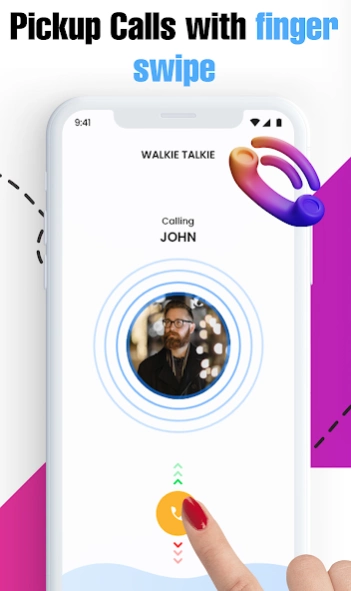

Talk radio walkie talkie app let you make calls with clear sound wifi calling.
Are you looking for a solution for contacting family members at home 🏡 or you are in search of a way to connect with colleagues 👨💼 in the office about the work because you need to discuss work, again and again, ❓ 📶
Are you depressed about the heavy bills of the phone❓ 📠
Here is the only solution to all your problems, Walkie talkie Wi-Fi intercom android app turns your Android phone into an intercom that you can talk to everyone at home or office distance very easily. Wifi calling- Push to talk app sends your voice with a crystal clear audio sound and you can talk with family and friends with ease. Just log in with a Username and enjoy the conversation of the unlimited calls and talk radio.
🔥Characteristics:🔥
👉 Walkie Talkie Call app lets you call on Wi-Fi at a distance at home or office etc.
👉 Receives Call and Push to talk app lets you receive calls from others while the walkie talkie PTT app is not running, you do not need to keep open the Bluetooth of walkie talkie, you just need to keep the internet wifi calling on your phone.
👉 No Login ID - Most of the apps will require a Login for chat with others but this walkie talkie communication app does not require any login ID, you can log in just with a username, or you can use your real name or a temporary name.
👉 Change User Name- Change the user name at any stage any time whenever you wish to change it. Changing the user name is very easy and simple on this talk radio.
👉 Wireless walkie-talkie- If you want to become a policeman then use this wireless walkie-talkie app.
👉 Clear sound- with this Radio walkie-talkie app you will hear a crystal clear voice sound during the conversation.
👉 Capability- Bluetooth walkie-talkie app is capable with all Android devices; it has no limitations for Android versions.
👉 One-click to talk- PTT walkie-talkie android app uses one press hold for talking, just hold the call button and speak.
👉 Wi-Fi & Cellular Data- This fast walkie-talkie app works with both Wi-Fi and cellular data.
👉 UX-UI Design- This fast walkie-talkie app has an attractive user interface.
👉 Multiple devices connection- PTT walkie-talkie is a push-to-talk app that allows communicating directly with any number of users and works with devices connected to the same network and same place.
📶 Permissions of Walkie talkie WIFI intercom: 📶
Location- Location Permission is needed to find nearby devices and connect with them.
Bluetooth- Bluetooth permission is needed to be open for Push to talk.
Record Audio- audio recording is necessary for the Bluetooth walkie-talkie app to send to others.
Way to Use of Walkie talkie WIFI intercom:
Install the talk radio- wifi calling app from the google play store,
Proceed to the Start button,
Click on the Walkie Talkie Click on the Call button to start a call,
Now for the talk Radio and wifi calling app to find the device for you,
Connect with your friend/family member/colleague’s device,
Now you are ready to start a conversation.
About Walkie talkie Wifi Intercom
The company that develops Walkie talkie Wifi Intercom is OkraApps. The latest version released by its developer is 3.0.1.
To install Walkie talkie Wifi Intercom on your Android device, just click the green Continue To App button above to start the installation process. The app is listed on our website since 2022-12-02 and was downloaded 0 times. We have already checked if the download link is safe, however for your own protection we recommend that you scan the downloaded app with your antivirus. Your antivirus may detect the Walkie talkie Wifi Intercom as malware if the download link to com.ppt.walkie.talkie.twoway.communication.calls.without.internet.walkietalkie is broken.
How to install Walkie talkie Wifi Intercom on your Android device:
- Click on the Continue To App button on our website. This will redirect you to Google Play.
- Once the Walkie talkie Wifi Intercom is shown in the Google Play listing of your Android device, you can start its download and installation. Tap on the Install button located below the search bar and to the right of the app icon.
- A pop-up window with the permissions required by Walkie talkie Wifi Intercom will be shown. Click on Accept to continue the process.
- Walkie talkie Wifi Intercom will be downloaded onto your device, displaying a progress. Once the download completes, the installation will start and you'll get a notification after the installation is finished.
Program Details
System requirements
Download information
Pricing
Version History
version 3.0.1
posted on 2022-12-02
Disclaimer
Official Google Play Link
We do not host Walkie talkie Wifi Intercom on our servers. We did not scan it for viruses, adware, spyware or other type of malware. This app is hosted by Google and passed their terms and conditions to be listed there. We recommend caution when installing it.
The Google Play link for Walkie talkie Wifi Intercom is provided to you by apps112.com without any warranties, representations or guarantees of any kind, so access it at your own risk.
If you have questions regarding this particular app contact the publisher directly. For questions about the functionalities of apps112.com contact us.
